
Getting Started
Manage Targets
Manage Scans
Manage Organizations
Organization Settings
Plans
On Prem

Attack Templates
To support this, ZeroThreat allows you to import your own Attack Templates and run them alongside the scanner during scans. You can bring in custom templates written in Nuclei syntax or Burp BCheck syntax, making it easy to extend scan coverage with checks that are relevant to your application and testing needs.
Attack Templates are configured at the organization level, so they can be managed centrally and reused across your targets and scans where needed. Once imported, they can be selected through Scan Profiles, which gives you control over which custom templates should run for different targets and scan setups.
Feature Availability
Custom Attack Templates are available in Professional Cloud, Enterprise Cloud, Enterprise Pay-Per-Scan and Enterprise On-Prem plans only. Refer to the ZeroThreat Plans page for more details.
Setting Up Attack Templates in ZeroThreat
- Navigate to Organization Settings in ZeroThreat.
- Under the corresponding organization, Select Attack Templates.
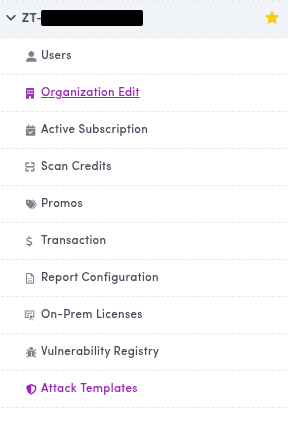
You will see two options to add your custom templates:
- Connect with GitHub
- Upload a ZIP
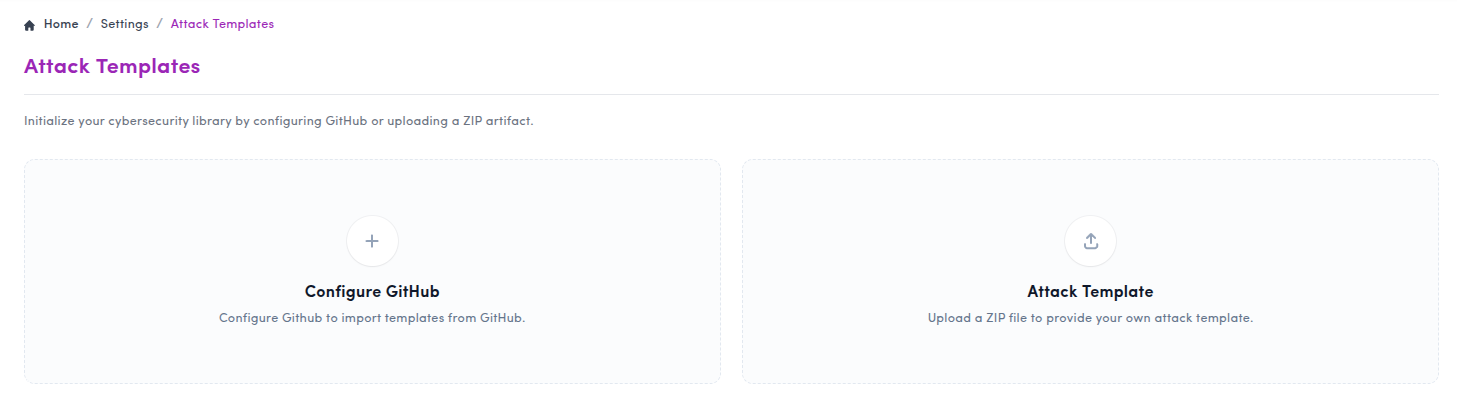
Upload Methods
Method 1: Import from GitHub
Use this method to connect your existing GitHub repository directly to ZeroThreat and import custom Attack Templates from it.
Follow these steps:
- Click the Configure GitHub card. In the popup, click Connect GitHub.
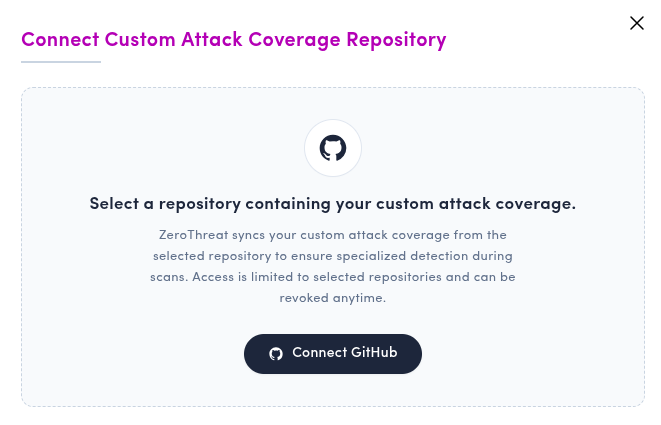
Make sure you are logged in to GitHub in the same browser profile. If not, you can log in during the next step.
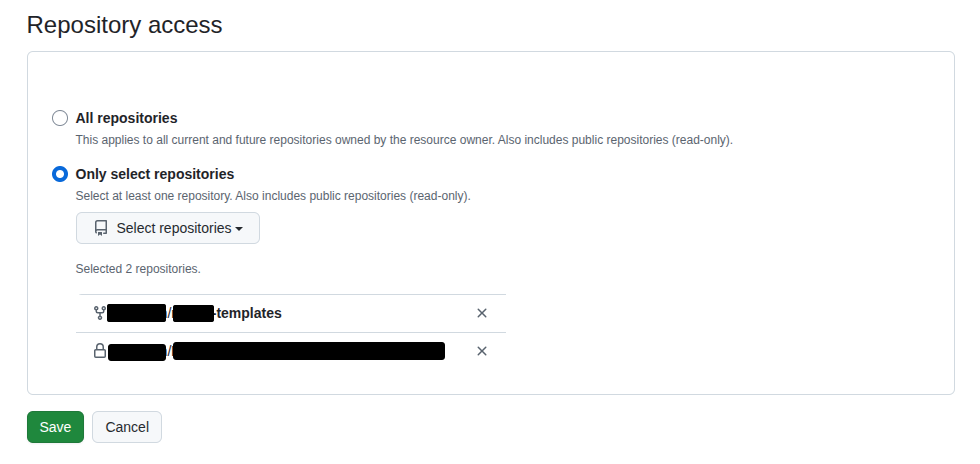
- You will be redirected to the GitHub App access page.
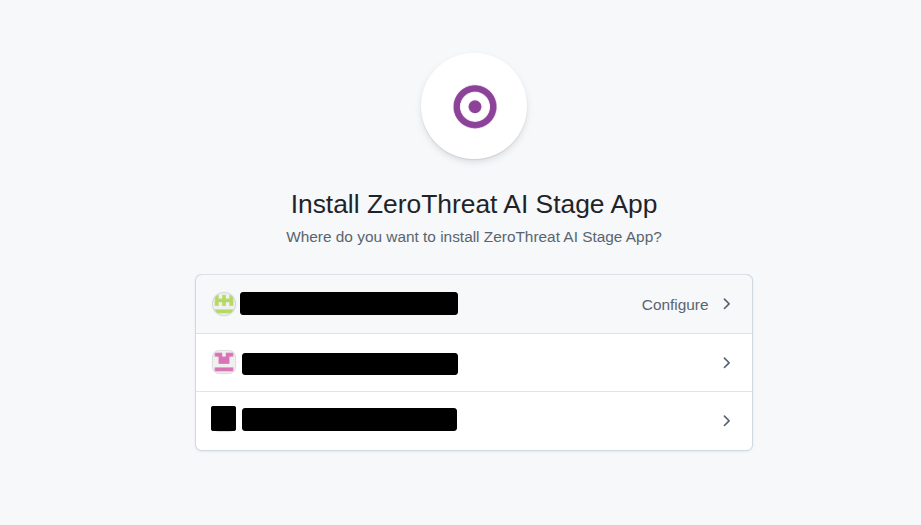
- Select the repository that contains your custom templates and grant access to the ZeroThreat AI GitHub App. Click Save to complete the GitHub App authorization.
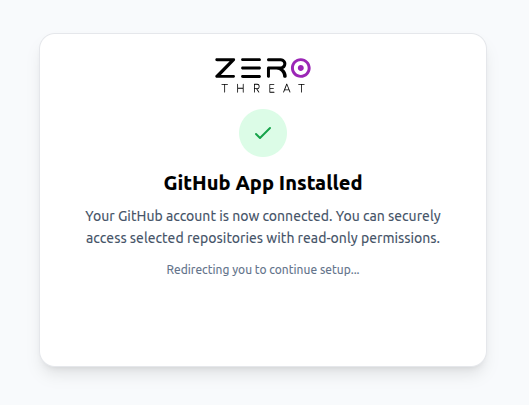
- After the connection is successful, you will see a GitHub App installed confirmation page.
- Back in ZeroThreat, select:
- your repository
- the templates path
- optionally, the branch name
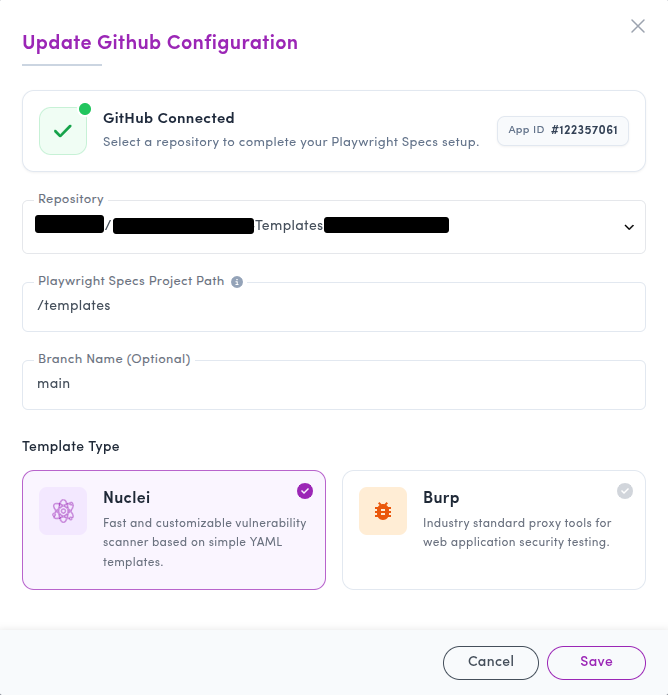
- Click Save.
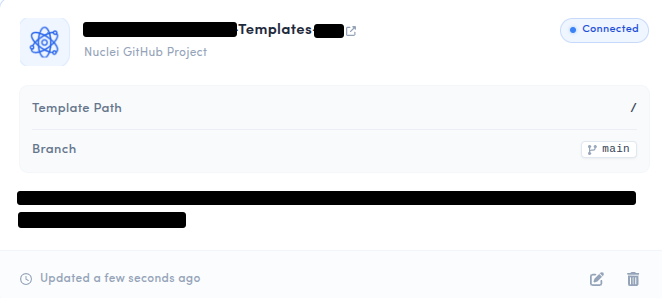
ZeroThreat will then fetch the templates from the selected repository. You can select which templates to use for scanning from the Scan Profile section.
Method 2: Upload a ZIP File
You can also upload your custom Attack Templates directly as a ZIP file.
Follow these steps:
- Create a
.zipfile containing your custom templates. - Make sure the ZIP includes the relevant template files in the expected structure for the selected template type.
- Click on Upload the ZIP file and select the ZIP file containing your attack templates.
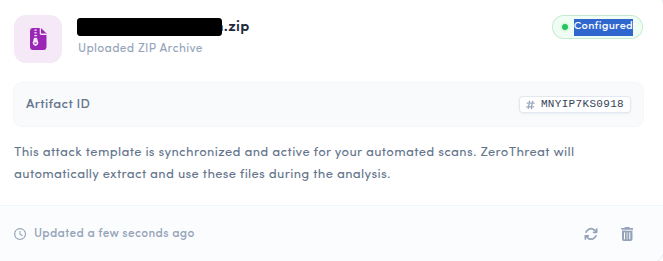
Once uploaded, your templates will be listed in the Attack Templates section.
Why Use Custom Attack Templates?
Custom Attack Templates help you extend scanning beyond default platform coverage.
They are useful when you want to:
- include your own custom security checks
- add specific vulnerability checks for your application
- use curated community-created test checks
- reuse existing Nuclei templates or Burp BChecks
- standardize custom checks across teams and scans
By combining ZeroThreat scanning with your own curated templates, you can improve coverage for checks that matter most to your environment.
Summary
Attack Templates allow you to bring your own Nuclei templates and Burp BChecks into ZeroThreat as an organization-wide capability.
Once imported through GitHub or ZIP upload, these templates can be selected through Scan Profiles and executed alongside the scanner during scans. This helps extend testing coverage with custom checks tailored to your applications, environment, and internal security needs.