
Getting Started
Manage Targets
Manage Scans
Manage Organizations
Organization Settings
Plans
On Prem

Attack Validation
This is useful when you want to confirm exposure to a known vulnerability, validate a specific attack template, or quickly test whether a target is affected by a particular security check.
Attack Validation is available on Professional Cloud, Enterprise Cloud, and Enterprise On-Prem plans.
The selected target must also be linked to a subscription plan that supports Attack Validation. If the target is not linked to an eligible plan, the quick test cannot be started.
Please refer to the ZeroThreat Plans for more details.
Open Attack Validation
From the Dashboard, click the Attack Validation icon in the top-right side of the page.

This opens the Attack Validation section, where you can view the available CVE-based templates and Open Attack Templates.
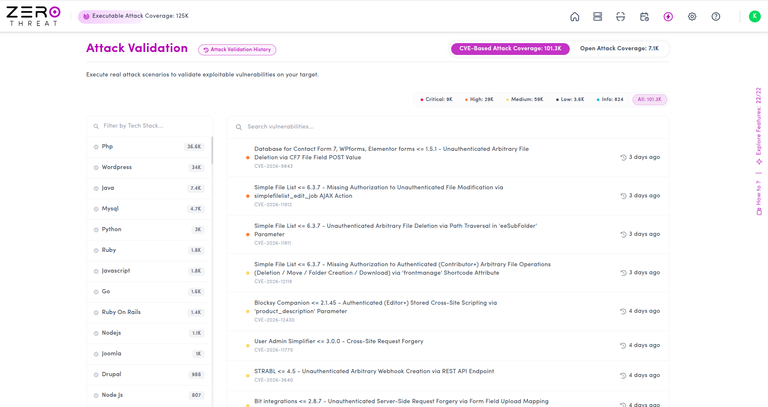
View Available Tests
The Attack Validation section shows a list of available tests that can be run against your targets. These include CVE-based templates and Open Attack Templates.
Browse the list and choose the test you want to validate against a target.
Run a Test Against a Target
To run a quick validation test:
- Hover over the CVE or Open Attack Template you want to test.
- Click Run this Test.

- Select the target you want to test from the popup.
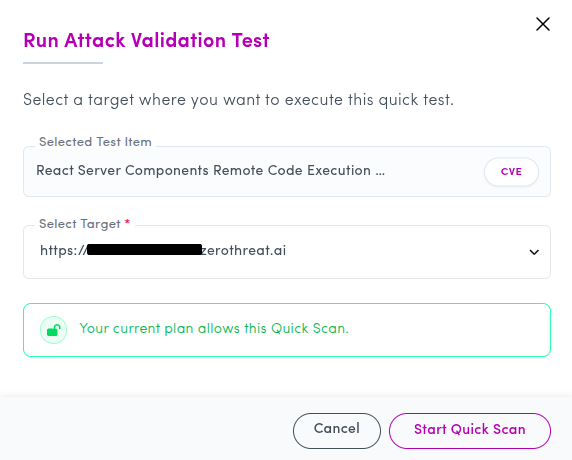
- Once ZeroThreat confirms that the selected target is linked to an eligible subscription plan, click Start Quick Scan.
ZeroThreat will then run a focused quick test against the selected target to check whether it is vulnerable to the selected template.
View Quick Test Results
After the quick scan starts, a result drawer will open. This drawer shows whether the selected target is Vulnerable or Not Vulnerable for the selected test.
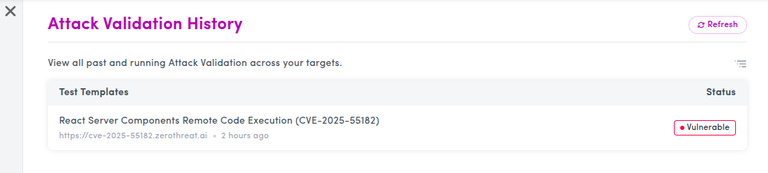
If the target is vulnerable, click the result to view the validation details. The detailed view includes the HTTP request, HTTP response, and highlighted evidence showing how the vulnerability was confirmed.
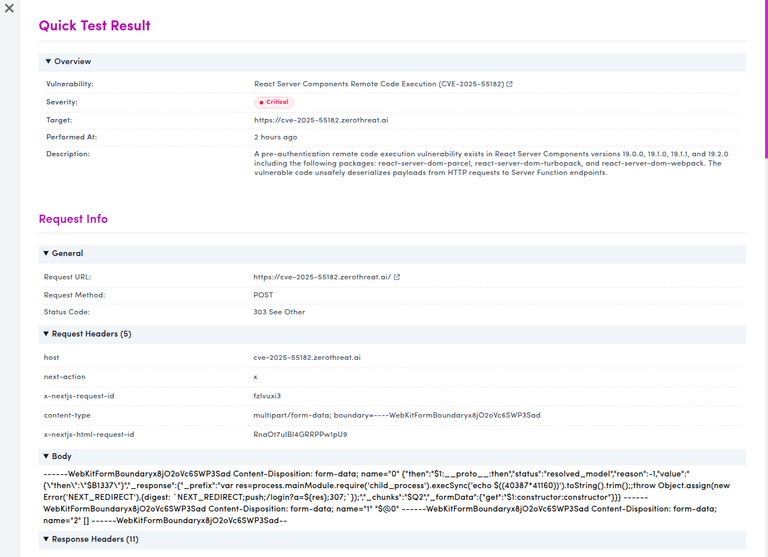
Use this evidence to understand the validation result and support remediation or further investigation.
Next Steps
Once a quick validation test is complete, review the result and evidence to decide the next action. If the target is vulnerable, share the HTTP request, response, and highlighted evidence with your development or security team for remediation.
If you want broader security coverage beyond a single validation test, run a complete scan using a Scan Profile.
For more help, see: